Windows


Or the installer, which updates itself:
Tunelle is a free, open-source player for the music you own. Point it at your folders and it plays lossless files without touching the sound.
Download Tunelle See what it does
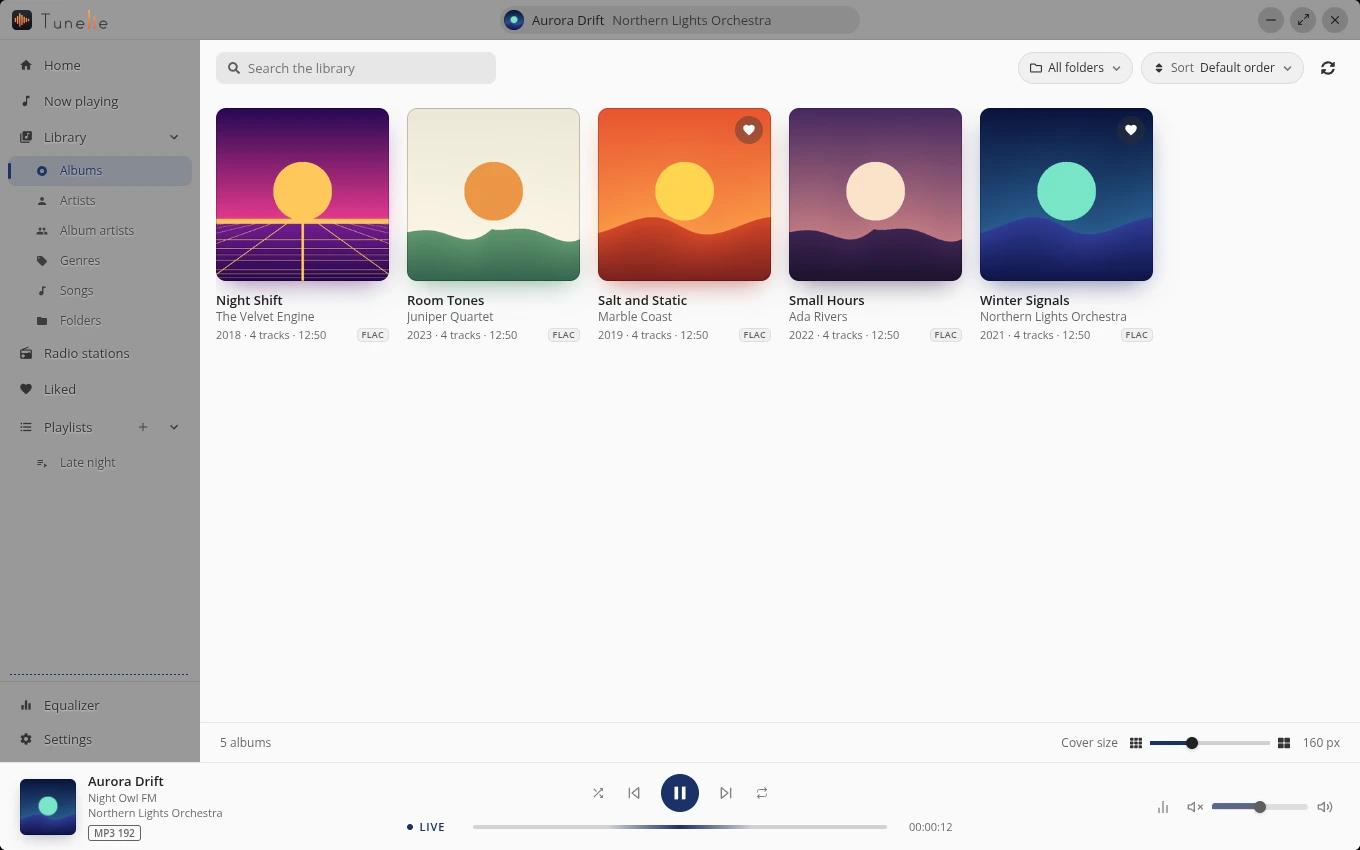
Albums, artists, album artists, genres, songs and folders. Search by artist, album or title, sort every list, and narrow it to the folders you pick.
Every track and station wears its format: FLAC 16/44.1, FLAC 24/96, MP3 320. No guessing what you are listening to.
FLAC, MP3, AAC, M4A, Ogg, Opus and WAV, with the tags and the cover read from the files.
Thousands of stations from the open radio-browser.info directory, with their logos, filters and the song that is on right now. More about radio
Pick up where you stopped, replay what you heard last, and start your Liked tracks, a playlist or a favourite station in one click.
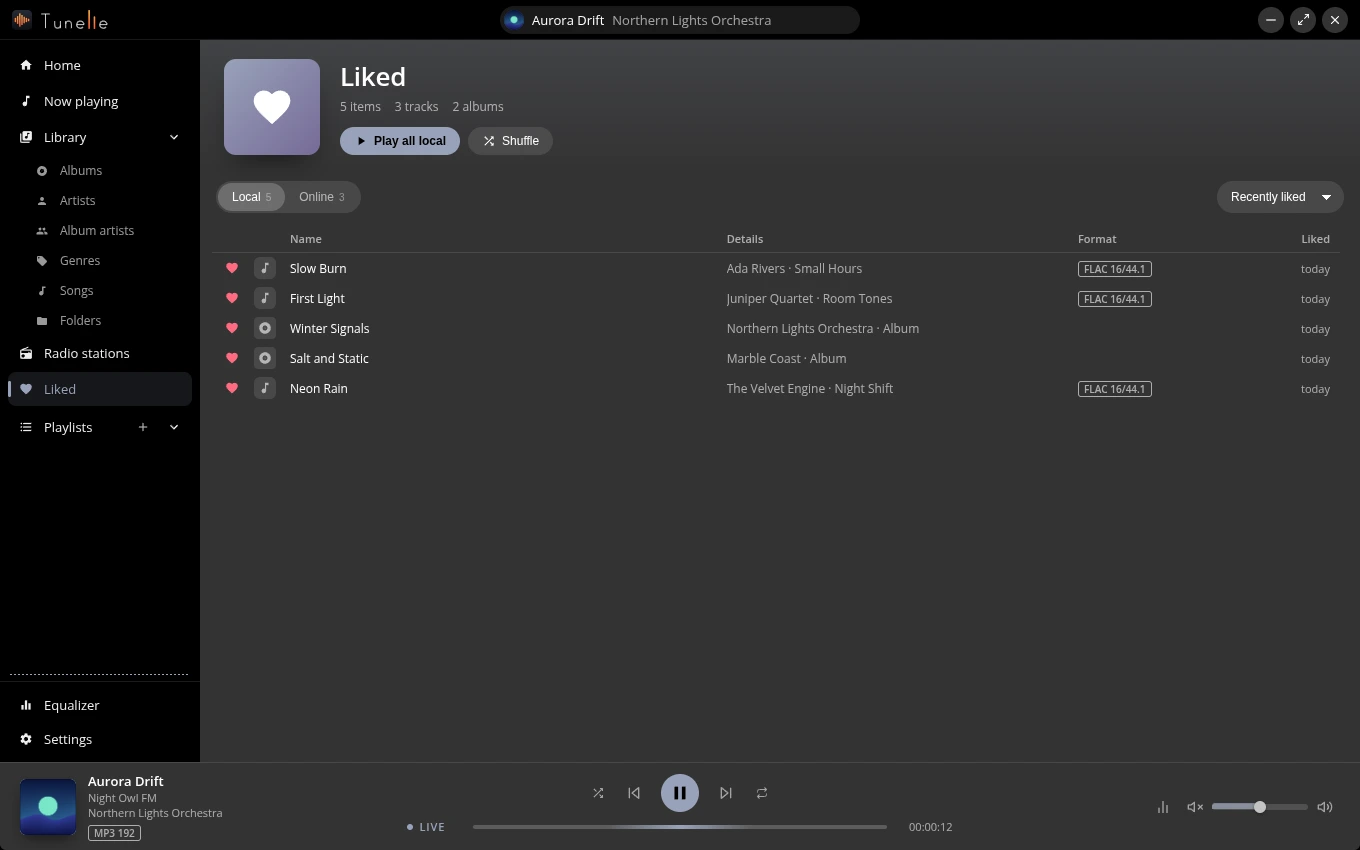
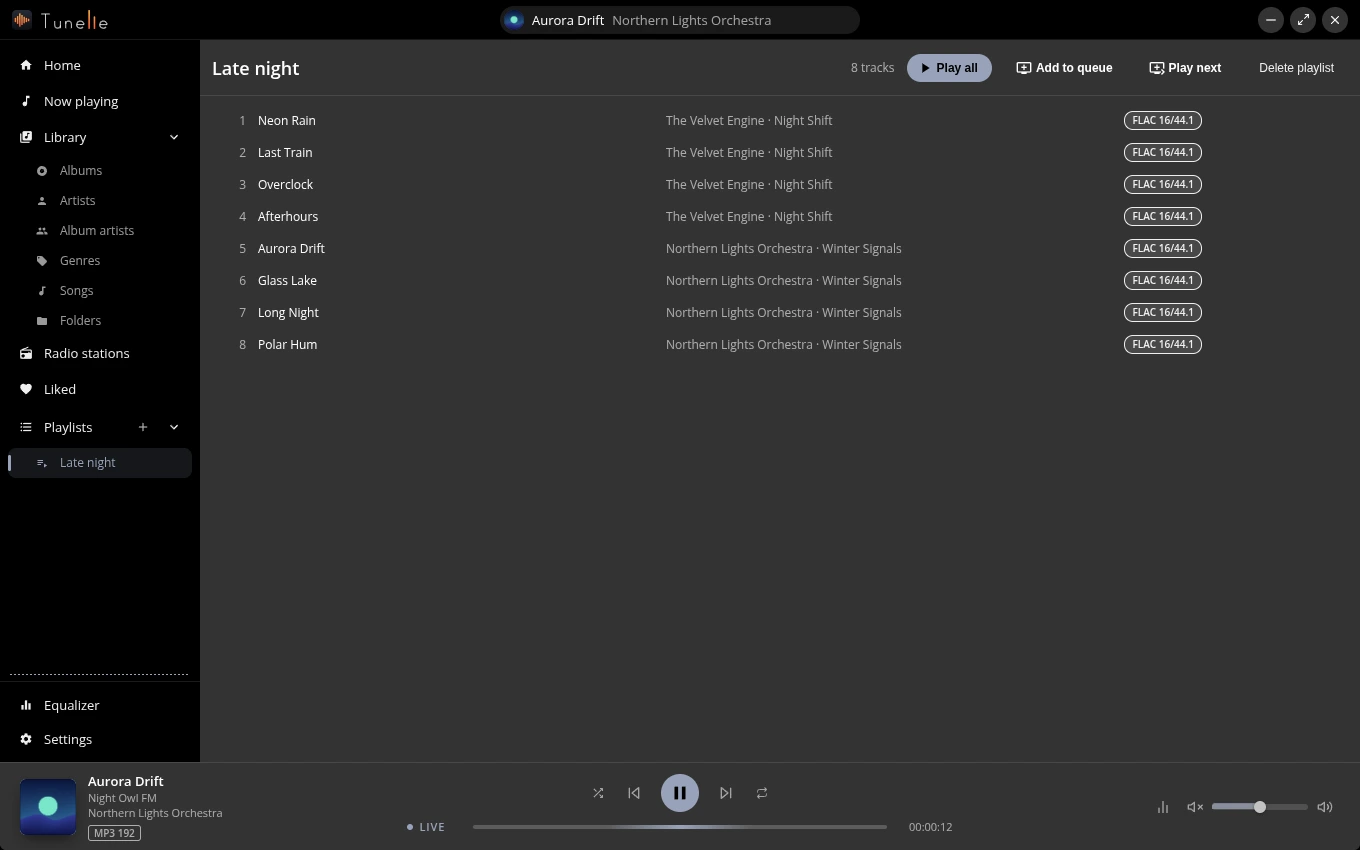
Heart a track, an album or a station and it waits in Liked. Build playlists, reorder them by dragging, and keep playing even when a folder is away.
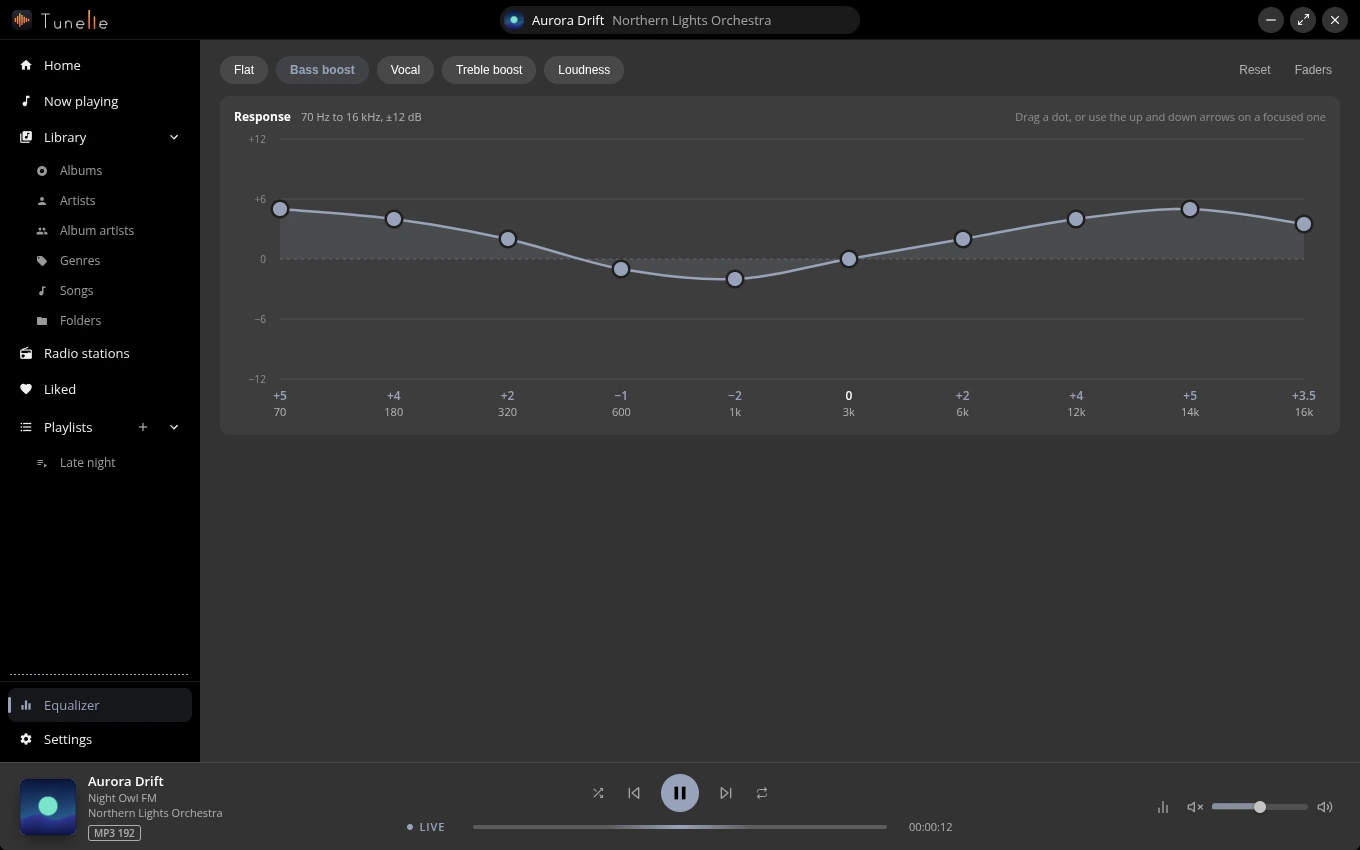
Ten bands drawn as a curve: drag a dot or pick Bass boost, Vocal, Treble boost or Loudness.
Add songs, albums or playlists to the end, or play them next. Drag them into order, or move them with Alt and the arrow keys, and take out what you do not want. Shuffle and repeat are one tap away.
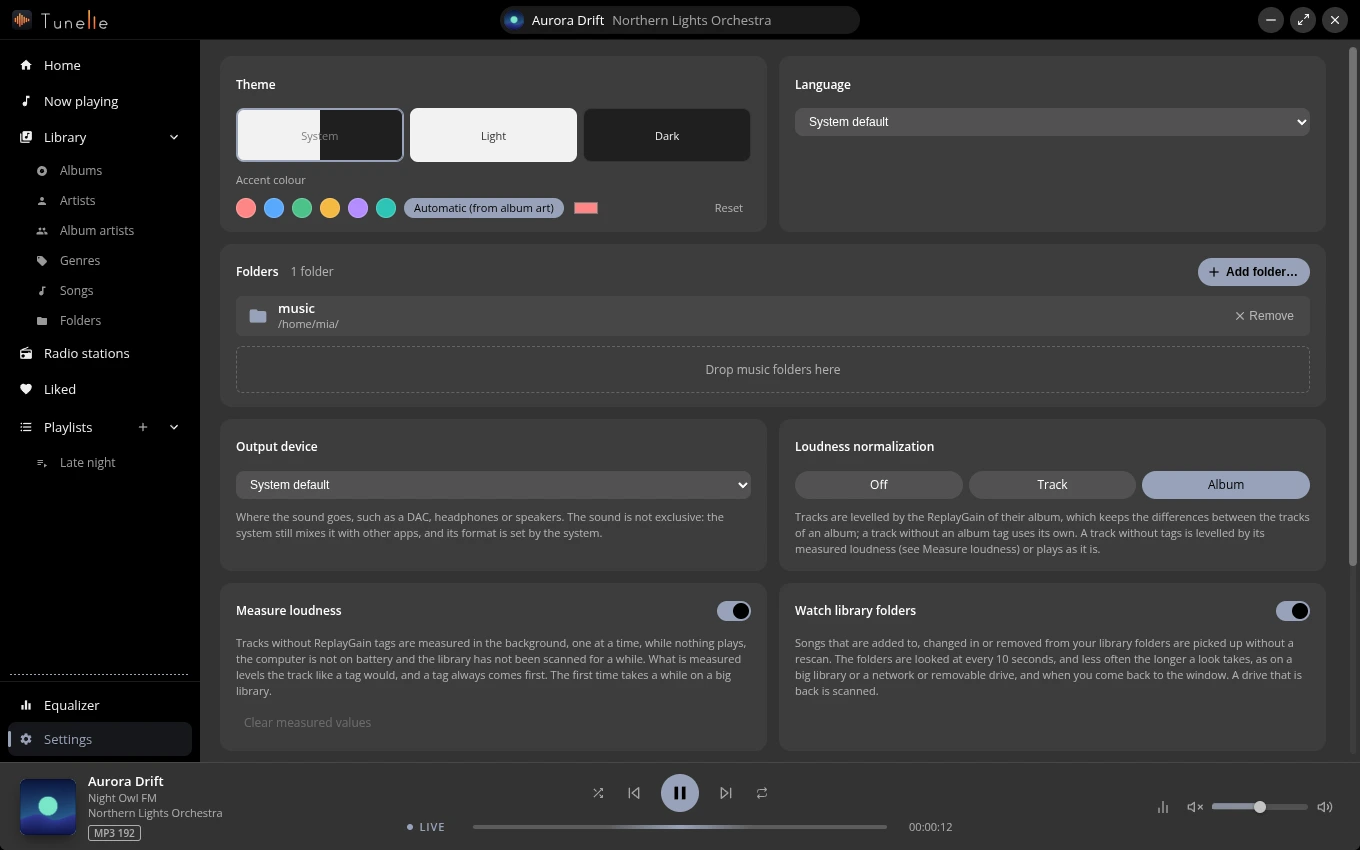
Follow the system or choose a mode, then pick an accent colour, or let it follow the cover of whatever is playing.
English and Hungarian, following your system unless you say otherwise.
Media keys and the media controls of your system, play buttons on the Windows taskbar, a menu entry on Linux, and a translucent window that blurs the desktop where the system allows.
No price, no account, no tracking. Artist photos come from Deezer, which is sent the names of your artists, and you can turn that off in Settings; the privacy page lists everything the app contacts. The app updates itself, and new releases come out twice a week, under the MIT licence.
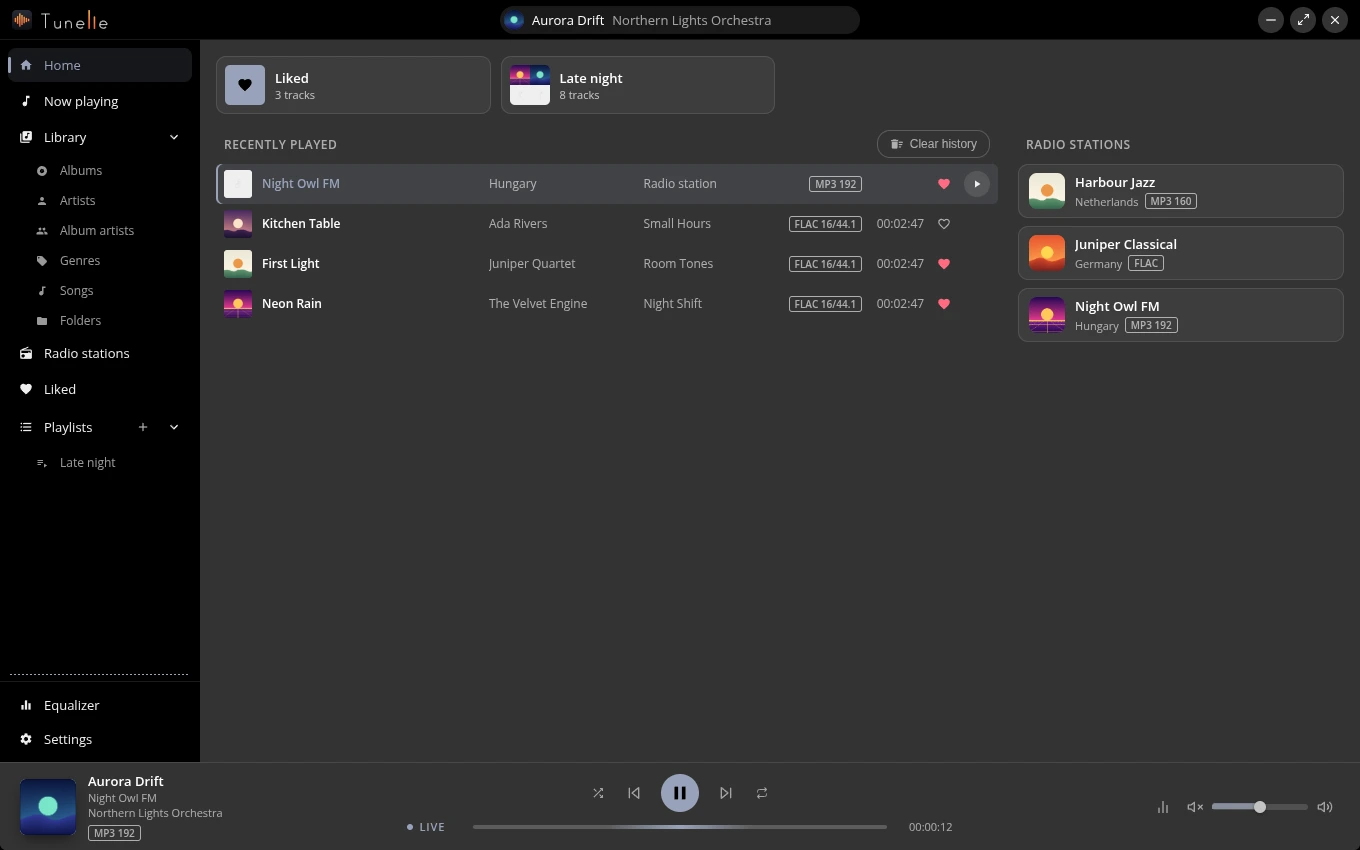
Home keeps what you were doing: a button to continue the track you paused, the list of what you played lately and tiles for your Liked tracks, your playlists and your favourite stations. Clear the list whenever you like.
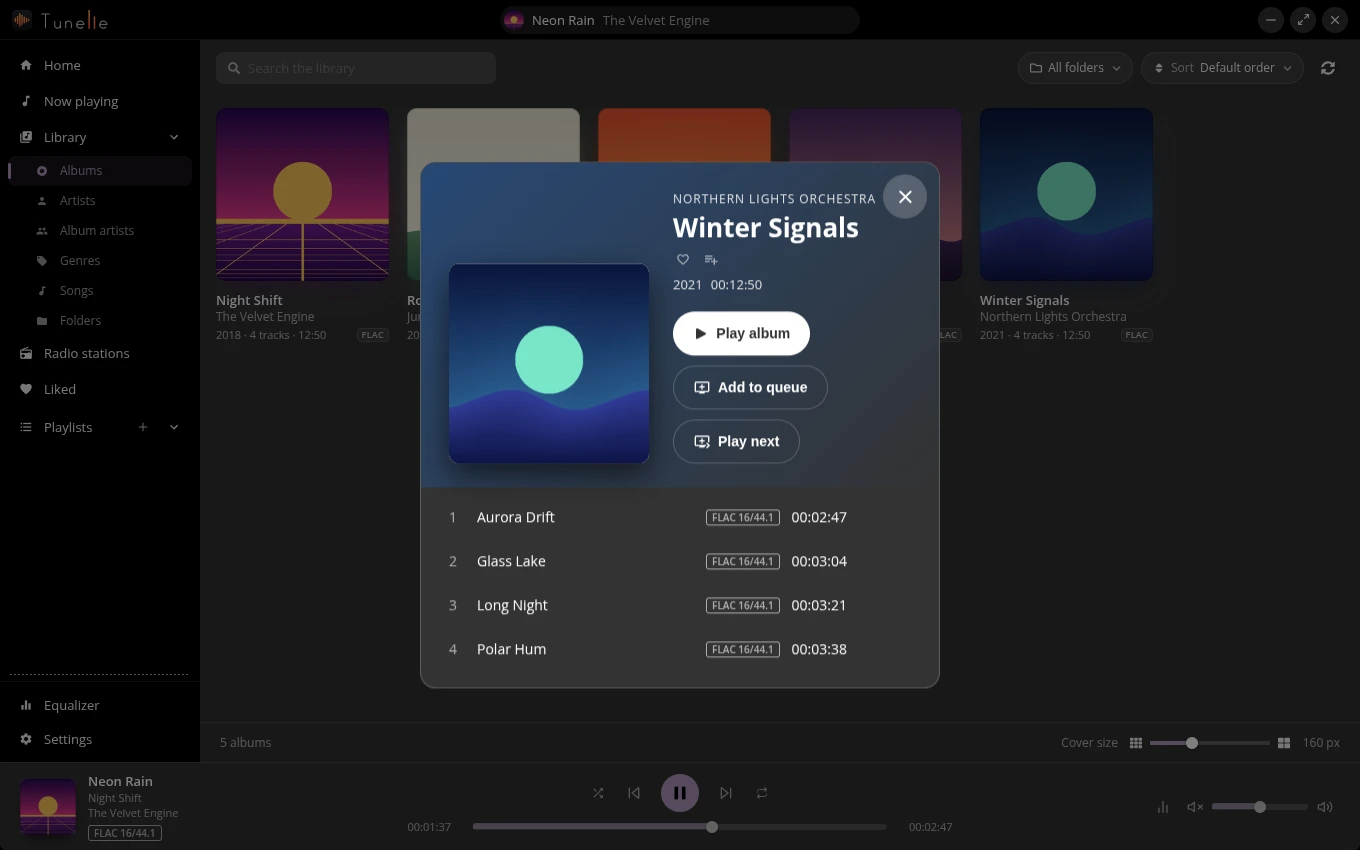
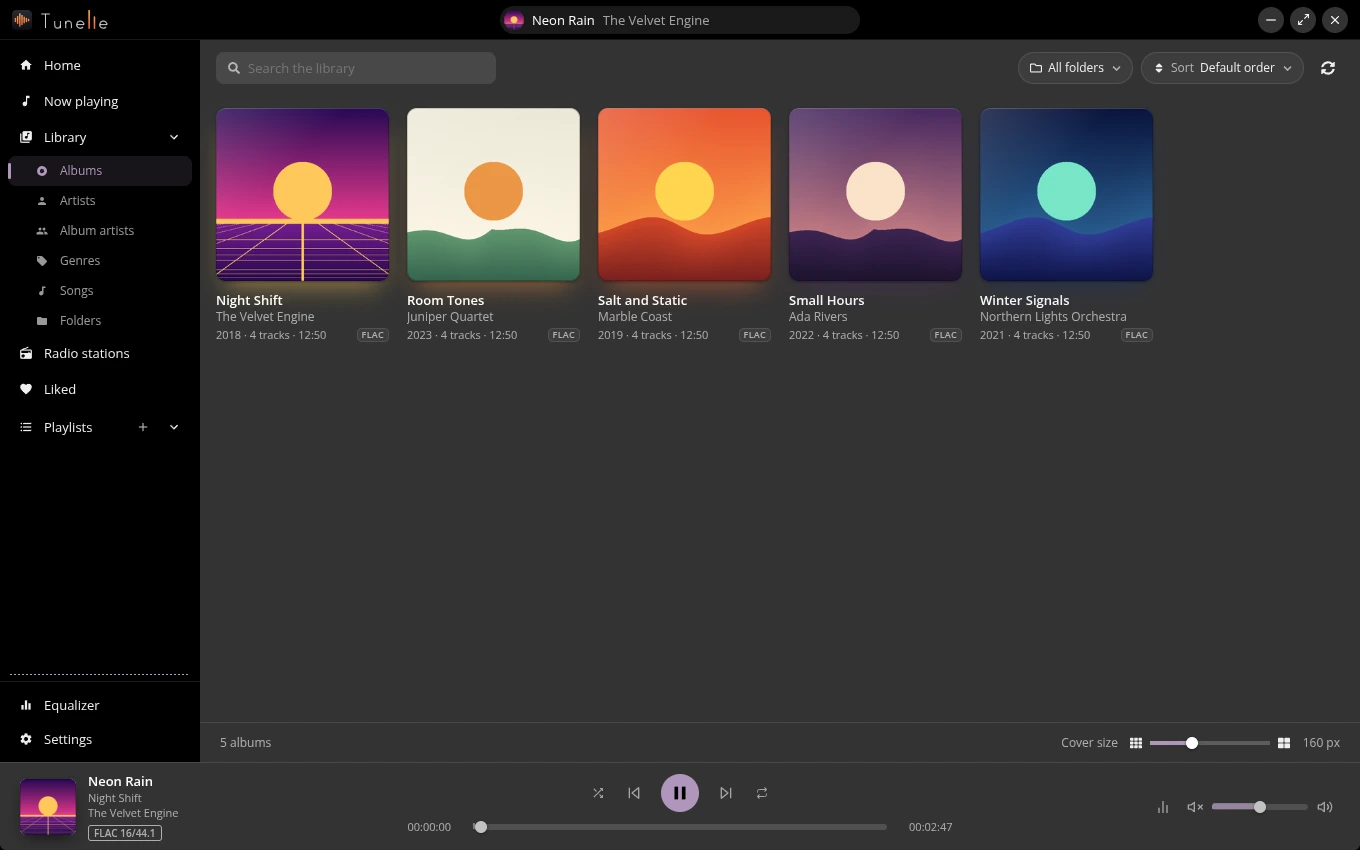
A grid of covers that fills the window, with a slider for the size. Click a cover for the track list, a format badge on each track and a Play album button; sort by title, artist, year, length or number of tracks.
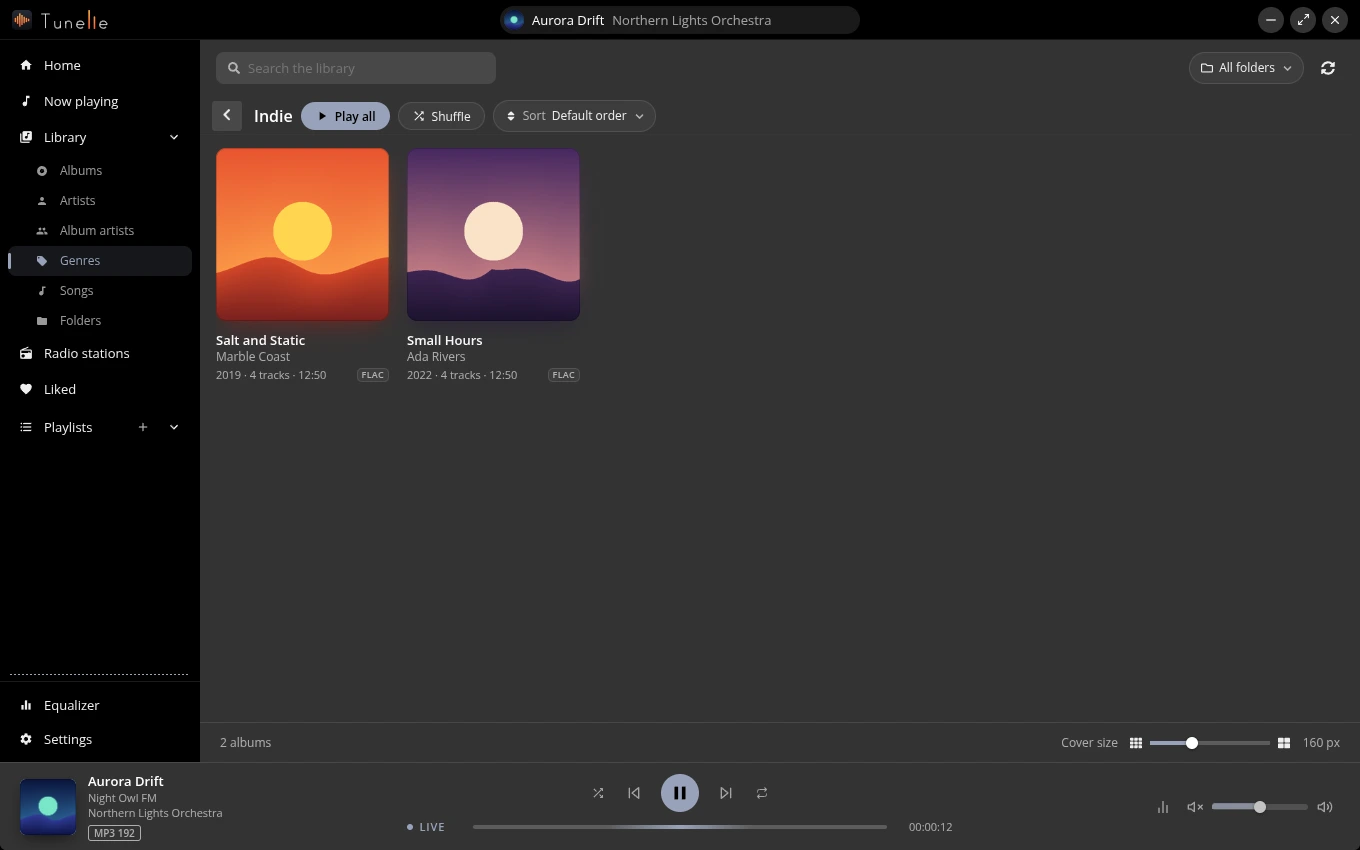
Browse by who made it or what it is. Genres get a colour and a fan of covers; open one and press Play all or Shuffle to queue everything in it.
Every file in your folders with its artist, year, album, track number and format. Tick several songs and play just those. Open a folder once and the library keeps itself in step with it: files you add, change or remove show up within about ten seconds, with no rescan, and big libraries and folders on a slow network or removable drive are looked at less often.
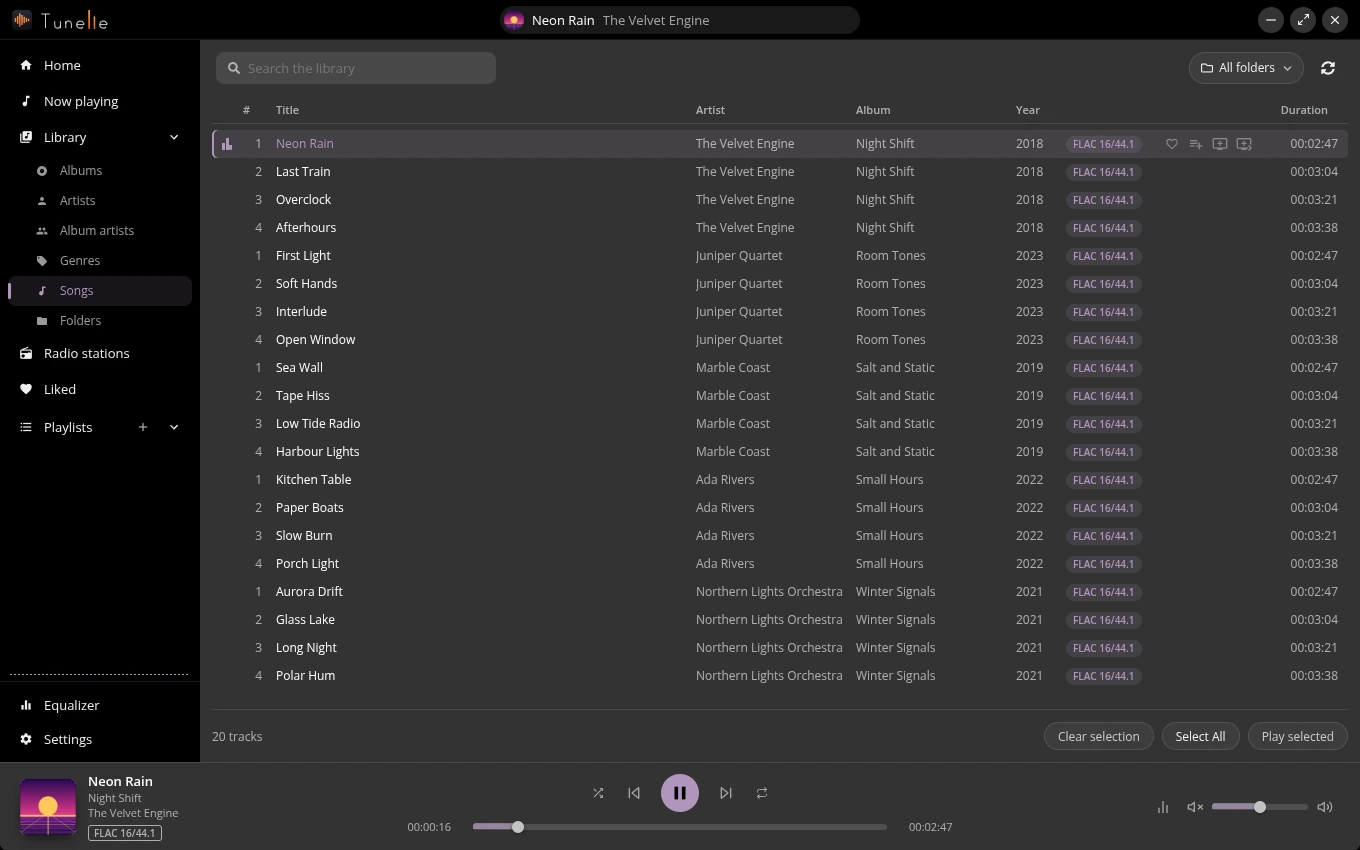
Drag folders onto the window or pick them, and watch the scan count its files. A copy of a whole album is one scan, not one per file, and you can turn the watching off in the Settings for a slow drive. A folder that is unplugged stays in the library as Unavailable, its tracks and favourites wait for it, and nothing on disk is ever touched.
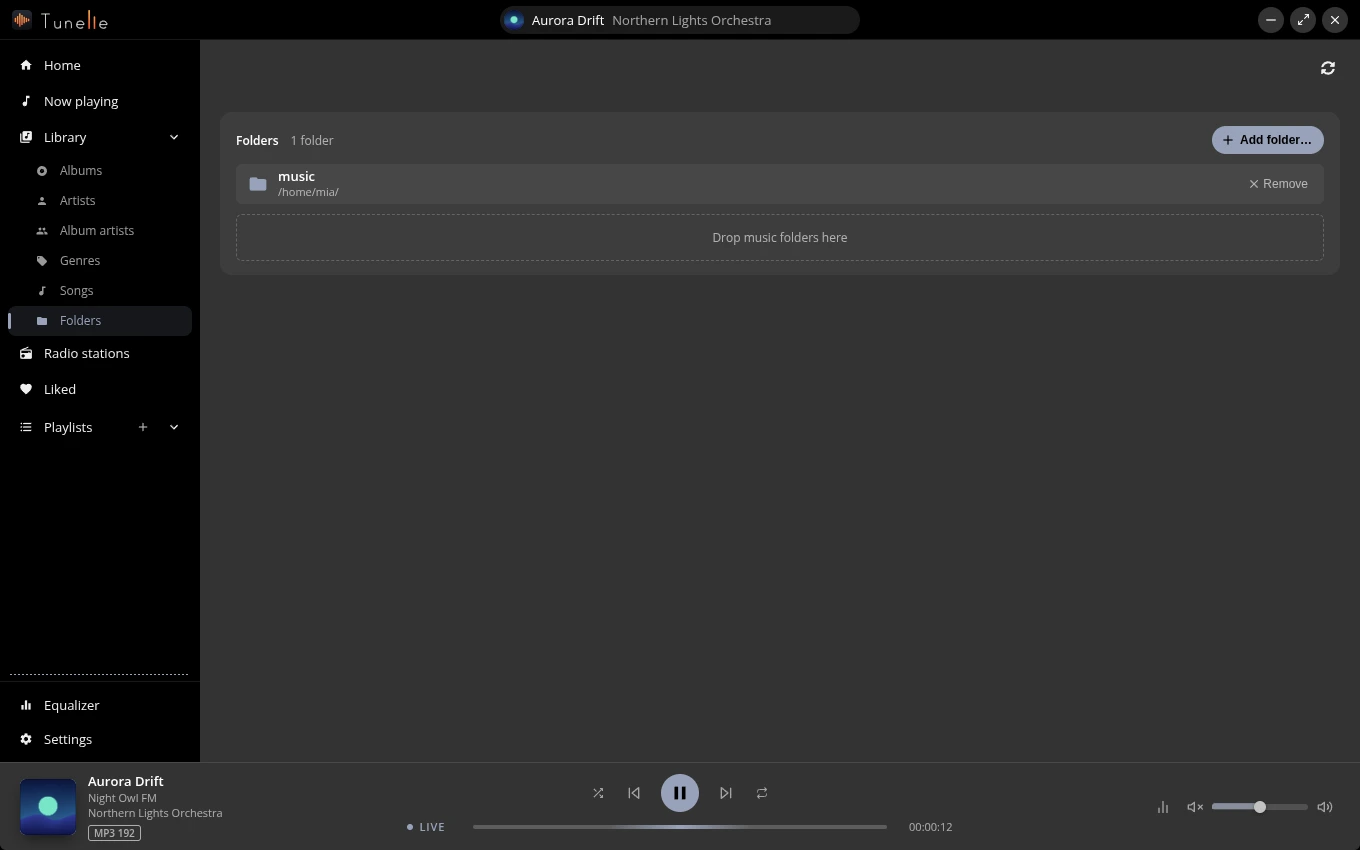
The cover, the format and the whole queue sit on one page. Add songs, albums or whole playlists to the end of the queue, or play them right after the song that plays; several that you put next play in the order you chose them. Drag them into the order you want (or move a row with Alt and the arrow keys), take out what you do not, or clear the queue, which stops the song as well. The player bar keeps the controls, the position and the volume in reach. Tracks follow each other without a gap, whether the queue is an album, a playlist or a shuffle, and they play at the same loudness when the files carry ReplayGain tags, or when the app has measured them in the background (per track or per album, or off in the settings), and the page shows how the loudness of a measured song is spread, with its loudness, range and peak, and a bar that moves across it as the song plays. In the settings you pick which output device the sound goes to, such as a DAC, headphones or speakers; a device that is unplugged gives way to the system default.
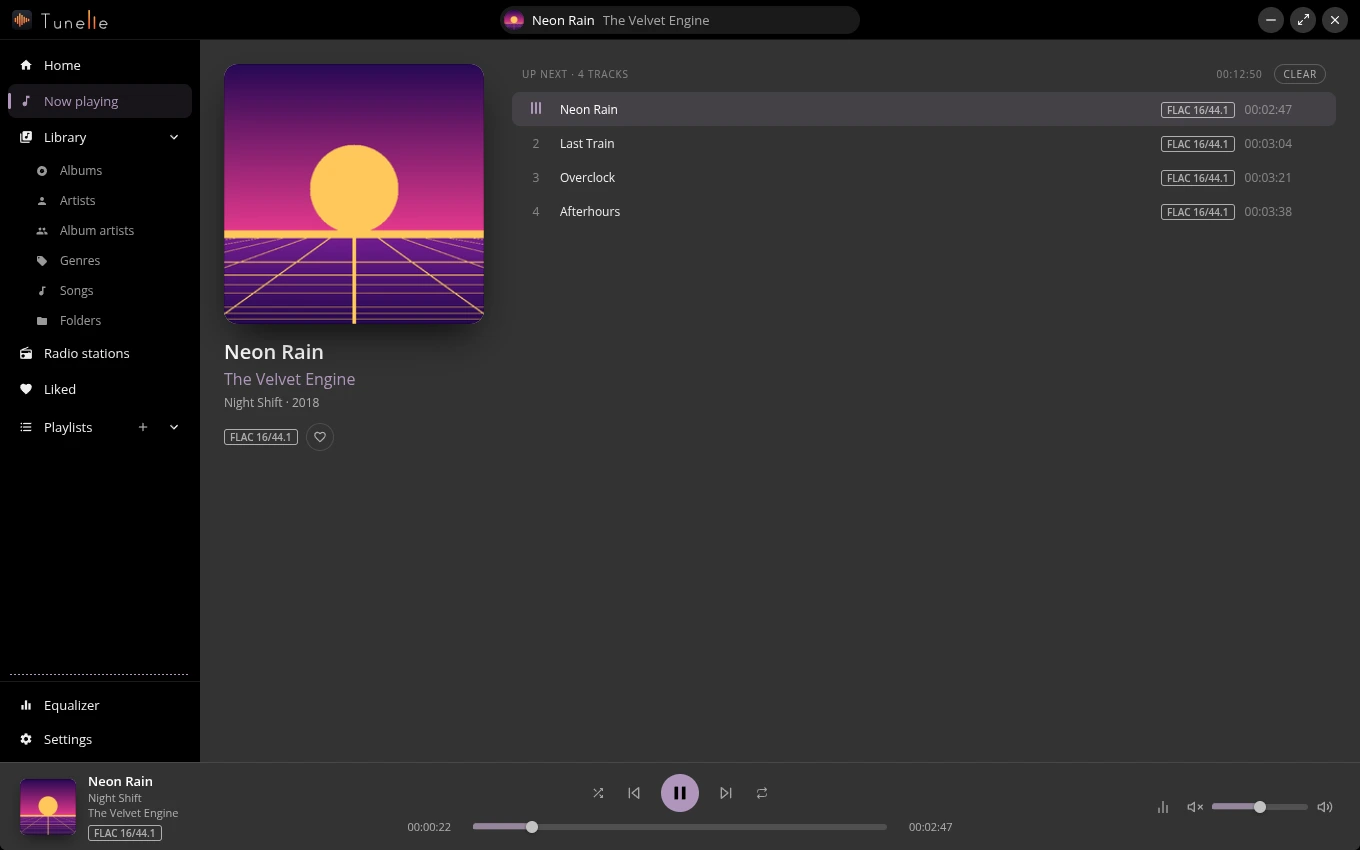
Search the station directory by name, genre, country, language, codec or bitrate, and sort by popularity, name, bitrate, trending, votes or country, or by clicking a column. Stations show their logo, genres, codec, bitrate and country, a live badge tells you it is a stream, and the player bar shows the song that is on right now, with its cover.
The list reflows to a narrow window, dropping the least important columns first.
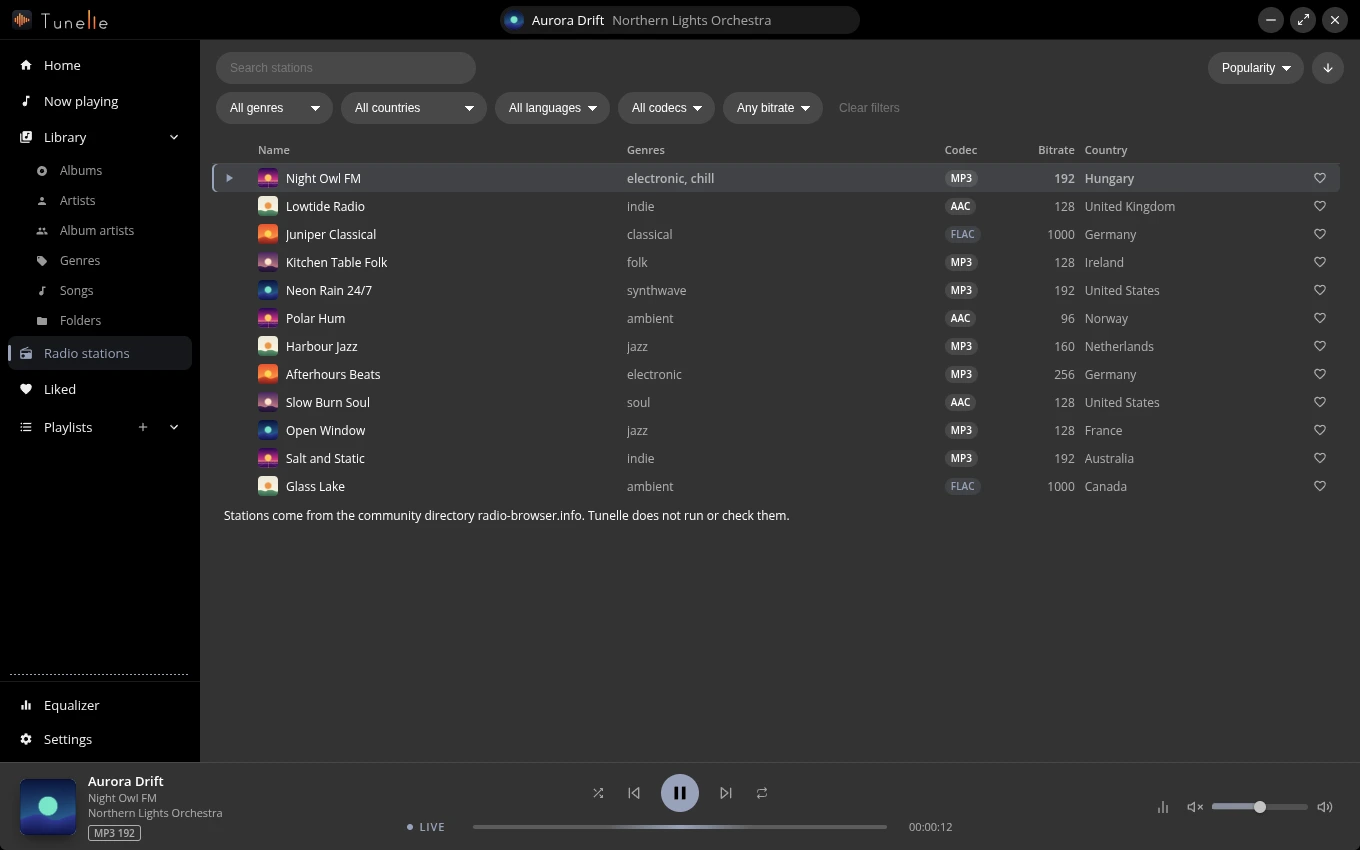
Tracks, albums and stations land in one Liked page with a switch between Local and Online, a count of what is in it, Play all and Shuffle. Sort by when you liked it, by name or by artist.
Press the plus in the sidebar, name it, then add tracks or whole albums from any list. Drag playlists into order and drag the tracks inside one. Tracks whose files are away stay put and play again when they return.
Ten bands from 70 Hz to 16 kHz, drawn as a curve you drag. Presets get you started, Faders show the numbers, Reset puts it flat again.
Light, dark or follow the system. Six accent colours, your own, or an automatic one that follows the cover of the song. Turn on translucent panels where your desktop blurs windows, switch the language, and decide if artist photos may be fetched.
The version and the update status live in the same place; the app checks on start and can check on demand. A small pill in the title bar lists the background work while there is any, and a notification tells you when a scan added or removed songs while the window is in the background (you can turn it off).
Pick your system. Not sure about the processor? Most computers made in the last years are the first choice of the list.
Or the installer, which updates itself:
Recommended: it updates with your system. Or the AppImage:
Works on every distribution with Flatpak. The runtime comes from Flathub, the repository of this site is signed, and flatpak update brings every new release.
Install with Flatpak opens GNOME Software or KDE Discover on the install page of Tunelle (the browser may ask first whether to open it). Nothing happened? Your system does not open these links: download the file and open it, or paste this in a terminal, it adds the repository and installs the app:
flatpak install --user https://koeroesi86.github.io/tunelle/repo/tunelle.flatpakref
am -i tunelle) it updates with am -u tunelle and not by itself, and so does an AppImage in a folder you can not write to; the settings say so.chmod +x Tunelle-<version>-<arch>.AppImage, or tick "Allow executing as a program" in the file manager../Tunelle-<version>-<arch>.AppImage or by double click.fuse3 package gives the fusermount3 helper, and desktop installs have it. Without FUSE, start it with APPIMAGE_EXTRACT_AND_RUN=1 ./Tunelle-<version>-<arch>.AppImage.sudo dnf install fuse-libs on Fedora, sudo apt install libfuse2t64 on Ubuntu 24.04).